Keep the office working on an ordinary Tuesday, and on a bad one.
Anchor Software UK Ltd provides practical IT services: answering day-to-day problems, setting up devices and accounts properly, handling joiners and leavers, writing things down, and planning what happens when something important stops working.
No jargon, no sales pitch for a platform, and no pretending we are something we are not. Just the routines that stop small problems becoming expensive ones.
example: weekly check, illustrative
- Backups completed5 of 5
- Test restorepassed
- Updates pending3 laptops
- Leaver accounts closed1 of 1
- Admin passwords sharedto fix
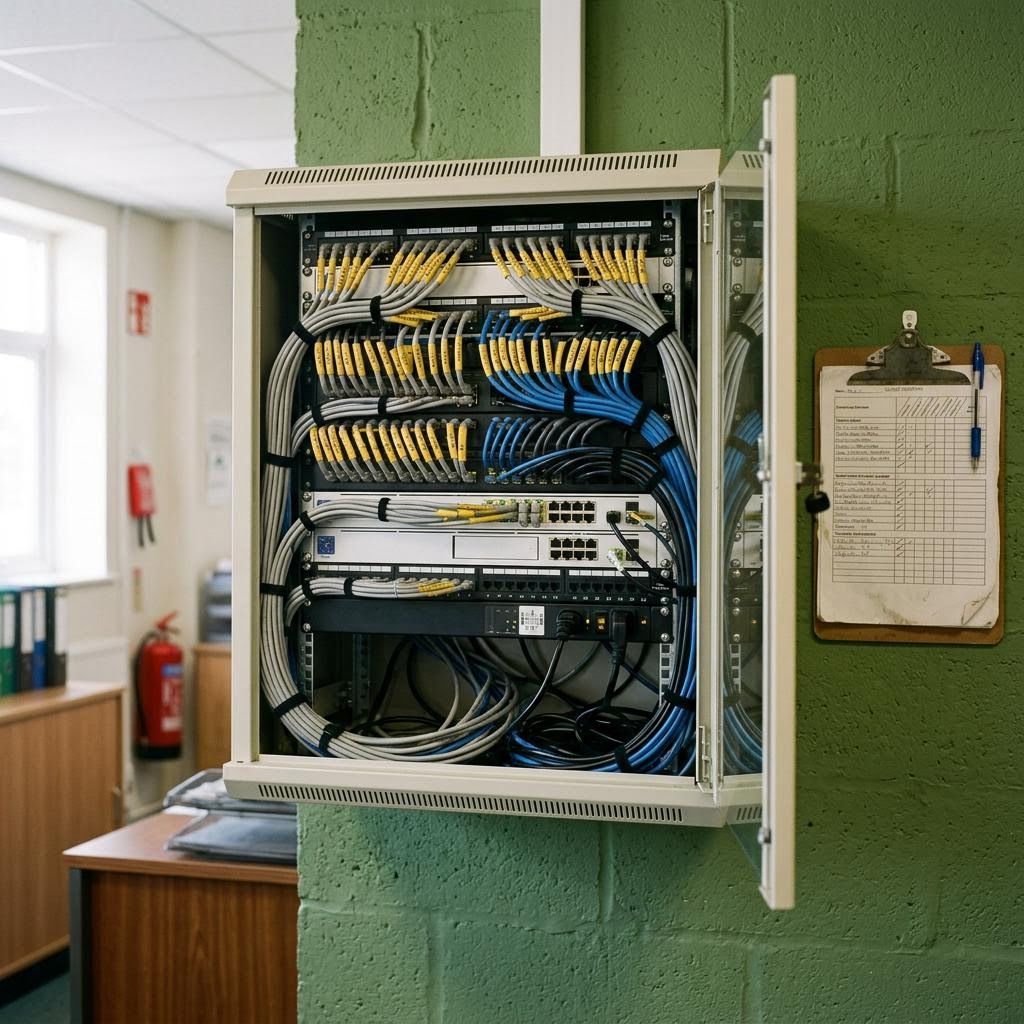
01 / WHAT WE DO
Practical IT services, without the theatre
Most small organisations do not have an IT department. They have a person who "is good with computers", a drawer of chargers, and a growing feeling that something important depends on luck. Anchor Software provides the IT services that replace luck with routine.
That means a clear route for asking for help, devices that are set up the same way every time, accounts that are opened and closed on the right day, backups that someone has actually tested, and a written plan for the systems you cannot live without. The company is registered for information technology service activities, and that is exactly the work we describe here: general IT services, delivered carefully, in UK working hours.
02 / TWO KINDS OF DAY
We plan for both
An ordinary day
Someone cannot print. A new starter arrives on Monday. A laptop is slow. A supplier asks for a file to be shared securely.
- Questions answered through one simple route
- Standard setup for every laptop and account
- Updates applied on a schedule, not when someone remembers
- Small changes recorded, so nothing is a mystery later
A bad day
Email is down. A laptop is stolen from a car. Someone clicked a convincing link. The person who knows the passwords is on holiday.
- A written list of what to do first, and who decides
- Backups that have been restored before, so you know they work
- A way to lock a lost device and reset accounts quickly
- Contact details for the suppliers you will need
03 / SERVICES
What is covered
Each service is described by what we do and what you are left with. Mix them to suit the size of your organisation.
| Service | What we do | What you are left with |
|---|---|---|
| Everyday support | Answer and fix day-to-day problems with devices, email, files and printing, remotely where possible. | A record of each request and how it was resolved. |
| Device setup | Prepare laptops and phones to a written standard: updates, encryption, screen lock, the right software. | Consistent devices and a list of what you own. |
| Accounts and access | Create, change and close accounts; set up two-step sign-in; review who has admin rights. | Access that matches roles, reviewed regularly. |
| Updates and housekeeping | Apply updates on a schedule, retire unsupported software, tidy shared storage. | Fewer surprises and fewer known weaknesses. |
| Backups and restore tests | Check backups exist for what matters, and prove they restore. | Dated evidence that recovery works. |
| Continuity planning | Rank the systems you rely on and write the first steps for when each fails. | A short, usable continuity plan. |
| Documentation | Write down how your IT is set up, who your suppliers are and how routine tasks are done. | Knowledge that survives staff changes. |
04 / CONTINUITY
If this stops, then what?
Continuity planning is not a thick binder. It is a short list of answers, agreed in advance, to questions you would otherwise be asking in a panic.
Who checks the provider's status page, how staff are told, and which phone numbers clients can use in the meantime.
How the device is locked and wiped remotely, which passwords are changed, and how the person keeps working today.
Who isolates affected machines, where the clean backup is, and who decides on contacting insurers or authorities.
Where the documentation is, who holds emergency admin access, and which supplier to call.
05 / JOINERS AND LEAVERS
The two days that matter most for access
Most access problems start on someone's first or last day. A new starter shares a colleague's login because their account is not ready. A leaver's mailbox stays open for months because nobody asked for it to be closed.
We run joiners and leavers as a routine: a checklist agreed with you, completed in the right order, with a record of who did what and when.
- Account ready before the first morning
- Laptop prepared and encrypted
- Two-step sign-in set up in the first session
- Finance access removed first on the last day
- Files and mailbox handed to a named colleague
- Devices, fobs and keys collected and recorded
06 / DOCUMENTATION
Write it down once
If your IT lives in one person's head, it leaves when they do. We produce plain documentation: an inventory of devices and accounts, a list of suppliers and renewal dates, how backups work, how to reset common things, and who to contact. It is stored where you choose, owned by you and kept current as part of ongoing support.
07 / TRY IT
Would your backups actually save you?
Six questions, an honest answer. The check is based on widely used good practice and on the step most often skipped: testing a restore. Two more tools, a continuity priority sorter and a joiner and leaver checklist builder, are on the tools page.
TOOL 02
Backup sense-check
Answer six questions about one important set of files or one system. The check compares your answers with the widely used "3-2-1" principle and with the step most often missed: proving that a restore works.
08 / HOW SUPPORT RUNS
Clear hours, clear routes
Ask
Send a request through the support form or email. Say what happened, who is affected and how urgent it is for your work.
Triage
During working hours we confirm receipt, ask any questions and agree a priority with you. Issues stopping several people come first.
Resolve and record
We fix the problem remotely or arrange a visit if agreed, then note the cause and any follow-up so it does not recur.
Monday to Friday, 09:00 to 18:00, Europe/London. No out-of-hours or emergency cover is offered; requests after hours are handled the next working day.
09 / LIMITS
What we do not claim
- We do not claim specialist certifications, vendor partnerships or accreditations.
- We do not run a data centre or offer round-the-clock monitoring.
- We do not provide legal, insurance or regulatory advice; we will tell you when you need it.
- We do not publish client names, testimonials or numbers we cannot show you.
- We do not promise that nothing will go wrong. We help you recover when it does.
- We do not lock you in: documentation and admin access stay with you.
10 / RESOURCES
Free, practical reading
A one-page continuity template, a device standard you can adapt, guidance on spotting suspicious emails and a list of questions to ask any IT provider. Written for people who run organisations, not for IT specialists.
- One-page continuity template
- Laptop setup standard
- Suspicious email: what to do in the first ten minutes
- Questions to ask an IT provider
11 / CONTACT
Describe the setup, not the solution
Tell us roughly how many people and devices you have, what you rely on most, and what worries you. We will suggest where to start. Please do not send passwords or account details.
DIRECT
Anchor Software UK Ltd
Company number 17003266
Registered office: 71-75 Shelton Street, Covent Garden, London, United Kingdom, WC2H 9JQ